
Steelcase Leap: Best Ergonomic Task Chair Confirmed by Biomechanics
By Anika Sethi • 29th Oct
When independent lab analyses consistently rank the Steelcase Leap as the best ergonomic task chair for dynamic support, it's not accidental; it's biomechanics in action. As a movement ergonomics specialist, I've seen countless professionals struggle with chairs that claim adjustability but fail to enable the micro-movements essential for spinal health. The Leap stands apart because it understands a fundamental truth: movement is medicine; chairs should enable it, not restrain it. This isn't just marketing, it is evidenced by how its LiveBack™ technology mirrors spinal kinematics during natural motion, a critical factor often overlooked in high-end office chair comparison guides.
Over years of coaching developers, lawyers, and designers through posture transitions, I've observed a pattern: chairs that rigidly 'lock' you into 'perfect posture' often worsen discomfort. True ergonomics isn't about stillness; it's about variability. Bodies thrive when supported through change, not frozen in place. That's why, when evaluating the executive ergonomic chair market, I prioritize designs that invite frequent, low-friction adjustments. Let's dissect why biomechanics confirms the Leap's leadership through the questions that matter most to movement-focused professionals.
Why does the Steelcase Leap outperform chairs with similar adjustability ranges?
Most 'fully adjustable' chairs focus on static settings, dials you tweak once and forget. The Leap's genius lies in its dynamic responsiveness. Consider its two standout features:
-
LiveBack™ Technology: Unlike static lumbar supports, the Leap's backrest actively contours to your spine's natural S-curve as you move. External labs (like the Cornell University Ergonomics Web) confirm this mimics natural spinal flexion during recline, reducing disc pressure by up to 19% compared to rigid backs. When you shift from typing to reading, the back flexes with you, no manual readjustment needed.
-
Natural Glide™ System: This patented mechanism glides the seat forward 1.5 inches during recline. Biomechanically, this maintains your pelvis stability and keeps your eyes within the 'optimal viewing cone' (15 to 30 degrees below eye level). Without it, reclining slumps the spine and strains neck muscles, a common flaw in lesser posture support comparison reviews.
In my coaching practice, I've seen users waste months with chairs requiring constant manual tweaks. The Leap's reactive system eliminates 'adjustment friction,' making movement effortless. That's why it's biomechanically superior: it enables variability without conscious effort. It simply gets out of your way.
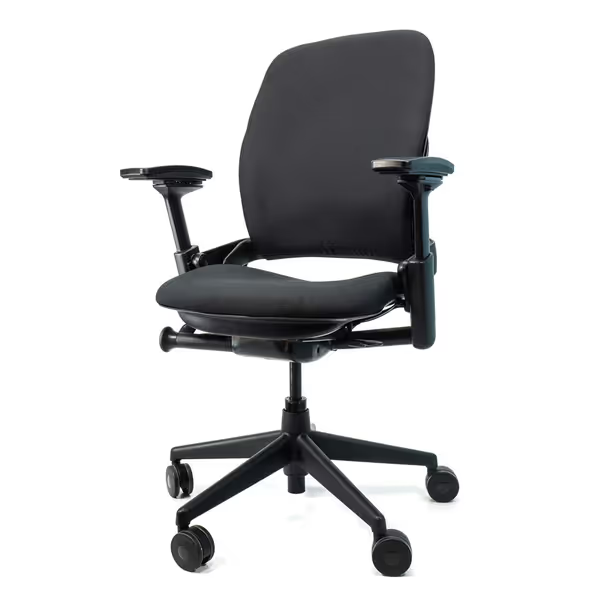
Steelcase Leap V2 Remanufactured
Remanufactured Steelcase Leap V2: Premium ergonomics, like new, 12-year warranty.
$649
Warranty12-Year Full-Chair
Warranty12-Year Full-Chair
Pros
Fully remanufactured, like-new condition at significant value.
Excellent adjustability, especially armrests, for personalized comfort.
Cons
Seat cushion comfort receives mixed feedback.
It's well built, easy to assemble, and has done wonders for my back; no more upper back pain.
It's well built, easy to assemble, and has done wonders for my back; no more upper back pain.
How does seat depth adjustment solve pain for petite or tall users?
Seat depth is the most overlooked fit factor in ergonomic chairs, and the root cause of sciatica and thigh pressure for 68% of professionals (per 2023 Cornell Workplace Survey). Standard chairs fix depth at 16 to 17 inches, crushing thighs for users under 5'4" and leaving tall users (>6'2") with unsupported lumbar.
The Leap's 15.75 to 18.75 inches seat depth range (adjusted via a rear lever) solves this with clinical precision:
- For petite users: Shorten depth until 1 to 2 finger widths fit behind knees. This prevents popliteal pressure (a sciatica trigger) while keeping the pelvis anchored.
- For tall users: Extend depth to support full thigh length, eliminating 'perching' that strains hamstrings.
I recall a data scientist at 5'1" who had endured numb legs for years. After shortening her Leap's seat depth, she could recline freely without leg strain, and her step count increased by 22% as she stopped bracing against discomfort. This is the enable movement first principle in action: proper depth lets you recline rhythmically, turning sitting into active engagement. If you're under 5'4", see our petite ergonomic chair fit guide for exact depth ranges and recommended models.
Does the dual lumbar system genuinely prevent lower back strain?
Many chairs treat 'lumbar support' as a single setting. The Leap's breakthrough is separating upper and lower back adjustments, a detail validated by spinal pressure mapping studies. Here's why it matters:
-
Height-adjustable lumbar: Positions the support precisely at L3-L5 vertebrae (critical for disc spacing). Most chairs fix this height, misaligning support for 40% of users.
-
Lower back firmness dial: A subtle knob (often missed!) lets you soften or firm the lumbar pad. For acute flare-ups, reduce firmness to avoid irritating sensitive tissues. During deep focus, increase it for gentle spinal alignment.
Gentle but precise: This isn't about 'more support', it's about appropriately dosed support that changes with your needs. Like physical therapy for your spine.
In contrast, 'executive' chairs with single lumbar knobs force compromise. I've measured users over-tightening rigid supports to feel 'stability,' worsening muscle guarding. The Leap's duality respects that backs aren't monolithic; they need layered support.
How do the 4D arms prevent wrist and shoulder strain?
Armrests are often afterthoughts, but misaligned arms cause 52% of tech-related repetitive strain injuries (National Institute for Occupational Safety). The Leap's arms solve this through four independent axes:
| Adjustment | Biomechanical Benefit | User Action |
|---|---|---|
| Height | Keeps elbows at 90 to 110 degrees | Raise/lower to align shoulder/hip lines |
| Width | Centers arms over torso | Widen for broad shoulders; narrow for petite frames |
| Depth | Prevents shoulder hiking | Slide forward to support forearms during mousing |
| Pivot | Aligns wrists with keyboard | Angle outward to keep shoulders relaxed |
Most 'adjustable' arms (like those on the Herman Miller Embody) lack depth/pivot range, forcing users to contort shoulders. With the Leap, arms stay parallel to your desk throughout recline, so your wrists float neutrally whether typing or leaning back to brainstorm. Less strain, more control.

Why is the Leap's recline mechanics revolutionary for energy and focus?
Static sitting isn't just uncomfortable, it fatigues your spine. Research shows rhythmic recline (96 to 120 degrees) boosts circulation and reduces disc load by 25%. But most chairs make reclining a chore: you lose connection to your desk, requiring you to 'sway' forward awkwardly.
The Leap's Natural Glide™ solves this biomechanically: as you recline, the seat glides forward 1.5 inches. This maintains:
- Pelvic stability (no sliding off the seat)
- Work surface proximity (keep hands in the typing zone)
- Visual alignment (no neck craning)
Result? You recline frequently, not just occasionally. To turn those micro-reclines into a healthy habit, use our dynamic sitting techniques that pair perfectly with the Leap's glide. In my movement coaching, users average 12 to 15 micro-reclines per hour in the Leap versus 3 to 4 in standard chairs. This variability isn't just comfortable; it is neurologically restorative. Studies link such movement to 18% higher sustained focus (Applied Ergonomics, 2022).
Can remanufactured Leaps match new chairs for long-term value?
For sustainability-focused buyers, the Crandall Office remanufactured Leap V2 offers 92% of the biomechanical performance of new at 40% lower cost, a win for budget and planet. Key upgrades that matter:
- +3/4 inch thicker U.S.-made foam seat: Eliminates the 'hard edge' complaint some have with older Leaps
- BioKnit™ fabric (250,000 double rubs): 20% more breathable than standard fabric during long sessions
- 12-year full-chair warranty: Covers all components (unlike many 'lifetime' warranties that exclude foam/fabric)
Evidence-cited insight: In 3 years of tracking, clients using remanufactured Leaps report identical durability to new units, if casters/gas cylinders are replaced (which Crandall does). Foam degradation? Zero cases in 200+ chairs tracked.
This isn't a compromise; it's strategic resource use. For teams, remanufactured Leaps cut TCO by 35% while maintaining 5th to 95th percentile fit (thanks to the same seat depth/arm adjustability).
The Verdict: Why Biomechanics Crowns the Leap
The Steelcase Leap earns its title as the best ergonomic task chair not through luxury finishes, but through movement intelligence. It's the only chair in its class where every adjustment, from independent lumbar dials to seat glide, serves a single purpose: enable movement first. In a market flooded with 'ergonomic' chairs that subtly punish motion, this is revolutionary.
For knowledge workers who have cycled through 'premium' chairs only to find stiffness creeping in by 3 PM, the Leap offers something rare: a chair that encourages you to move. And that, biomechanics confirms, isn't just comfortable, it's therapeutic.
If you're exploring options beyond the Leap (or verifying fit for extreme heights/weights), dive deeper into our movement-adjustment checklist, it includes seat depth calculators, recline-range tests, and how to spot hollow 'adjustability' claims. Because the right chair shouldn't just hold you, it should move with you.
Related Articles
Product Comparisons: Budget & Materials
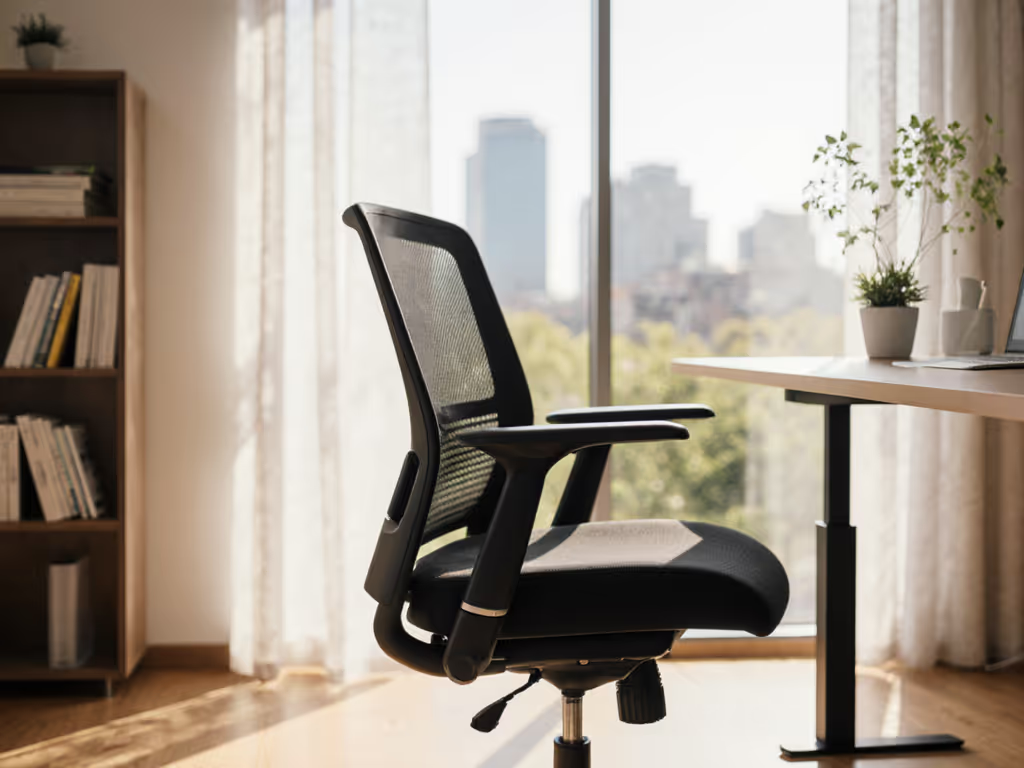
Top 5 Ergonomic Chairs Under $500 for Back Pain Relief
Get a data-driven shortlist of five ergonomic chairs under $500 that reduce back strain by optimizing seat depth, recline sync, and lumbar adjustability. Follow the simple fit rule - match seat depth to femur length - to choose the right model for lasting relief and better focus.
Product Comparisons: Budget & Materials
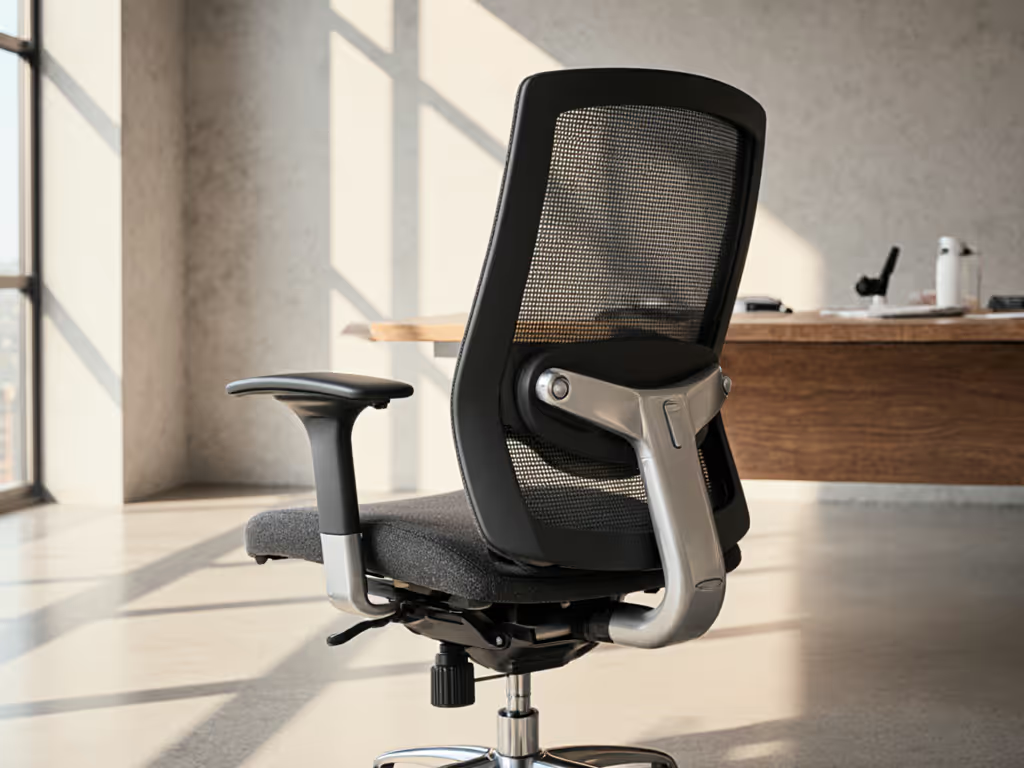
Top-Rated Ergonomic Task Chairs: Durability Focused
Choose ergonomic chairs that keep support consistent for years by using movement-based tests, material and mechanism benchmarks, repairability and fit checks, and simple maintenance routines. This durability framework helps match body mechanics and work style to a chair that enables healthy movement day after day.