
How Ergonomic Chairs Enhance Focus: The Posture-Brain Link
By Owen McKay • 19th Mar

Your posture shapes more than your back; it shapes how your brain works. An ergonomic task chair that aligns your body correctly isn't a luxury; it's a tool that directly supports your mental clarity and sustained focus. The science is clear: when your posture-brain function relationship is optimized, you think better, concentrate longer, and end your workday with energy left to give. Small fit tweaks compound into big comfort and focus dividends.
Why This Matters: The Posture-Cognition Research
Recent neuroscience has revealed something striking. When your head juts forward or your spine rounds, your brain doesn't just feel stressed; it is stressed.[1] Research shows that forward head posture increases gamma activity in the brain at rest, suggesting the head position acts as a stressor on neural tissue during focus work.[1] This isn't about "sitting up straight"; it's about removing friction so your brain can allocate resources to thinking, not fighting postural strain. For a deeper dive into the spinal motion science behind posture-fueled focus, explore our explainer.
The effects ripple across cognition. Studies confirm that upright sitting improves attention and memory recall compared to slouching, and this happens because upright sitting increases oxygen flow to the brain and modulates stress hormones.[5] One critical finding: passive, unsupported sitting consistently links to worse cognitive outcomes, including increased dementia risk in aging populations.[6] The distinction is vital: not all sitting is equal. A chair that collapses into poor alignment is not neutral; it actively taxes your nervous system.
The Numbered Path to Focus-Friendly Fit
1. Match Your Chair to Your Spine's Default State
The first win is matching the chair's support geometry to your neutral spine. This means checking three dimensions: seat depth (you should have 2 to 3 fingers of clearance between the seat edge and the back of your knees), seat height (knees at 90° with feet flat), and lumbar support placement (it should meet the inward curve of your lower back, not your mid-back).[1]
Why this matters: When your pelvis is properly angled and your lumbar spine supported, your cervical spine (neck) aligns naturally without compensation. That alignment reduces the mechanical load on your cervical joints (which, research confirms, is more critical to brain function recovery than muscle tension alone).[1] Set it, then move: once your base fit is locked, you can take micro-movements without losing support.
2. Prioritize Adjustability Over Static Comfort
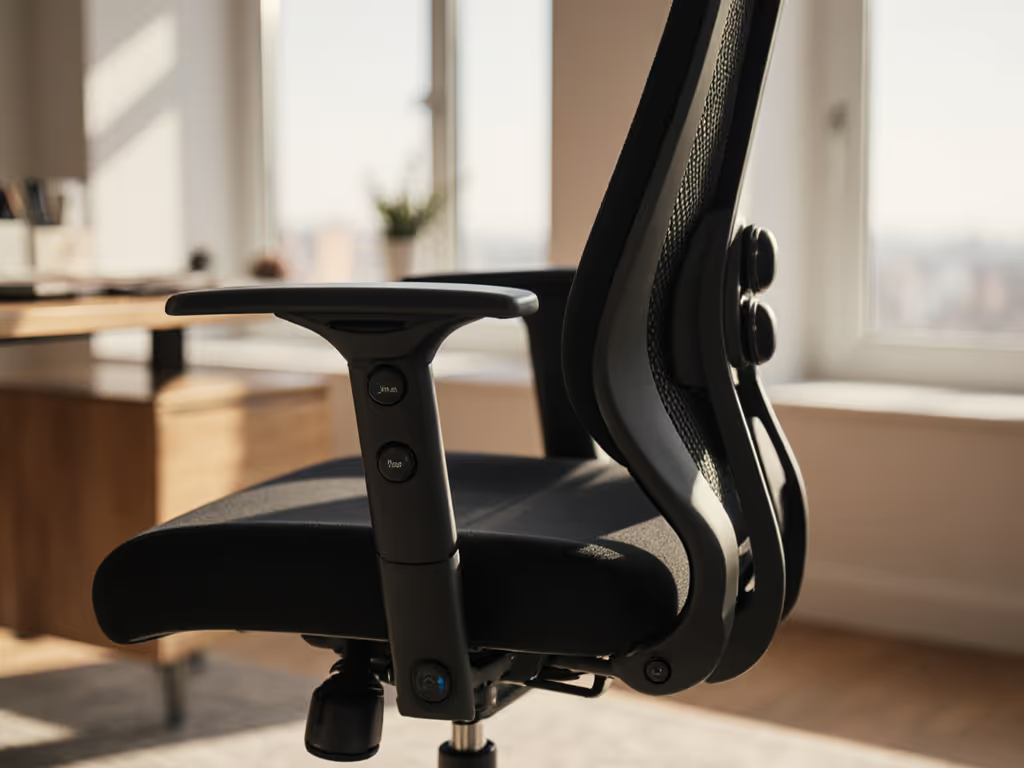
A chair with a wide adjustment range isn't just about fitting different body types; it's about enabling movement-focused cognitive support. You're not meant to sit in one position for eight hours. The best chairs let you shift your tilt tension, recline angle, and arm height throughout the day so your muscles stay engaged rather than locked.
Research on brain activity during working memory tasks shows that efficiency in several brain regions is higher during sitting and standing than in completely static positions.[7] This tells you that dynamic posture (shifting between positions) protects cognition better than rigid alignment. A chair with intuitive, labeled controls lets you make these micro-adjustments without distraction. Confidence with controls is half the battle. Use our adjustable chair setup guide to dial in tilt, recline, and armrests step by step.
3. Test Seat Depth and Thigh Clearance First
Seat depth is where many fit failures happen. Too long, and you compress the back of your thighs, triggering nerve pressure and fatigue. Too short, and your pelvis tilts backward, collapsing your lumbar curve. The sweet spot: you should sit fully back against the backrest with 2 to 3 fingers of space between the seat edge and the inside of your knee.
This single adjustment eliminated back-related tickets across a rollout I supervised: twelve people, twenty minutes to dial in thigh clearance, tilt tension, and seat depth, then saved each profile. Two weeks later, fewer pain complaints and noticeably better posture compliance. Small fit tweaks compound over time, and thigh clearance is where the compounding often begins.
4. Dial Tilt Tension to Match Your Workflow
Tilt tension controls how much resistance you feel when you lean back. Too stiff, and you're locked in one posture; too loose, and you collapse. The goal is a tension that lets you shift 10 to 15° back during focus or thought work, then return to upright for typing or detailed tasks.
This variability matters for brain chemistry. Your autonomic nervous system (the system that manages stress response and alertness) responds to postural changes.[2] When you're allowed to recline slightly, your parasympathetic (calming) nervous system activates. When you return upright, your sympathetic (alert) system engages. This dynamic regulation supports sustained attention across hours. Set your tilt tension so the movement feels natural, not forced.
5. Ensure Lumbar Support Covers Your Range
Lumbar support that can't be adjusted to your spine's curve is just padding. Look for adjustability in height and firmness so the support meets your exact inward curve. The research is direct: when you reduce abnormal neural stress by maintaining normal joint position, you recover brain function at rest and during cognitive tasks.[1] See how proper lumbar support maintains your spine's natural curve and prevents back strain.
For workplace productivity neuroscience, this translates to fewer end-of-day headaches, less neck stiffness, and sustained attention through afternoon slumps. A lumbar support that's too firm causes muscle tension; one that's too low or too high leaves you compensating with your shoulders or neck. Testing this is time-boxed: sit for 20 minutes and notice where you feel strain. Adjust, then test again.
6. Integrate Arm Support Into Your Desk Layout
Armrests prevent shoulder strain during typing and mousing, but only if they're at the right height and angle. Your elbows should sit at approximately desk height when your hands are on the keyboard, with minimal upward or downward angle. When armrests are too high, you shrug; too low, you round your shoulders forward.
This matters because shoulder tension directly feeds into neck and head posture. Round shoulders lead to forward head positioning, which research confirms increases cognitive load and stress-related brain activity.[3] Adjustable, intuitive arm supports let you fine-tune this relationship. Not sure which armrests to choose? Compare 4D vs 3D armrests to reduce typing shoulder strain.
7. Test Micro-Movements After Setup
Once your chair is fitted, spend the first week noticing your small adjustments. Do you shift your tilt tension throughout the day? Do you adjust lumbar firmness? Do you change seat height based on your task? This awareness is your feedback loop: it tells you whether your setup is truly responsive to your body, or whether you're forcing yourself into static compromise.
Set it, then move: a well-fitted chair doesn't trap you in one position. It gives you permission to shift, and those shifts maintain cognitive engagement. After a week, refine any settings that didn't earn their use. Then practice dynamic sitting techniques to keep circulation and focus high all day.
Bringing It Together: From Fit to Focus
The path from posture to focus is direct but often overlooked. Your ergonomic chair isn't an aesthetic choice; it's a neurotool. When your chair supports neutral spine alignment, enables micro-movement, and gives you confidence through adjustability, your brain is freed from postural stress. That freedom translates into hours of sustained attention, fewer energy crashes, and end-of-day resilience.
The research is unambiguous: upright, supported sitting improves attention and memory; forward head posture increases brain stress; and dynamic posture beats static compression.[1][2][5][6] What changes this from knowledge into lived benefit is acting on it stepwise: dialing in your fit through a time-boxed setup, testing your adjustments, and trusting that small tweaks compound into big dividends.
Your Next Step: Audit Your Current Setup
Today, take 15 minutes. Sit at your desk as you normally do. Check three things: Can you fit two fingers between your seat edge and the back of your knees? Is your lumbar support meeting the inward curve of your lower back, or is it higher or lower? Are your elbows at desk height with your arms relaxed?
If any of these three is a no, that's your starting point. Adjust one variable (depth, lumbar height, or arm height) and sit for 20 minutes. Notice the difference in shoulder tension, neck strain, or end-of-session fatigue. Document it. This single audit and adjustment often unlocks the posture-brain connection for knowledge workers who've lived with low-grade discomfort for years.
Your brain is already working hard. Don't make it fight your chair too.
Related Articles